Move a folder
Moving a folder is very similar to moving a group in Grouper. Directions with screenshots are available below.
Navigate to the folder you want to move
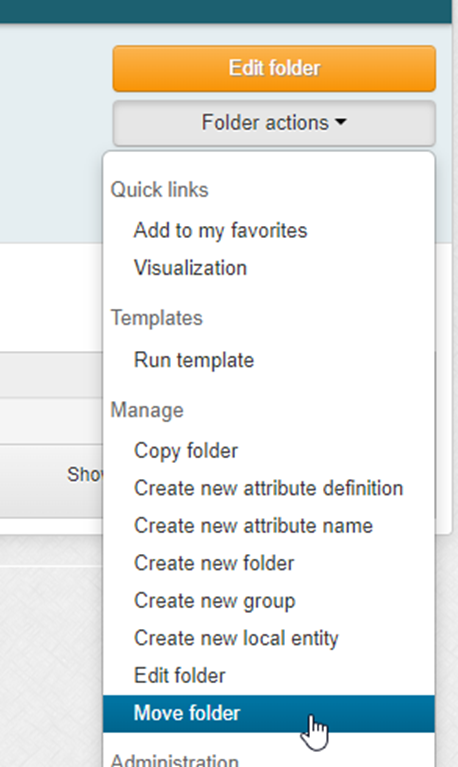
Select “Folder actions” and then “Move folder”
Enter the name of the destination folder and click on the correct auto-populated option
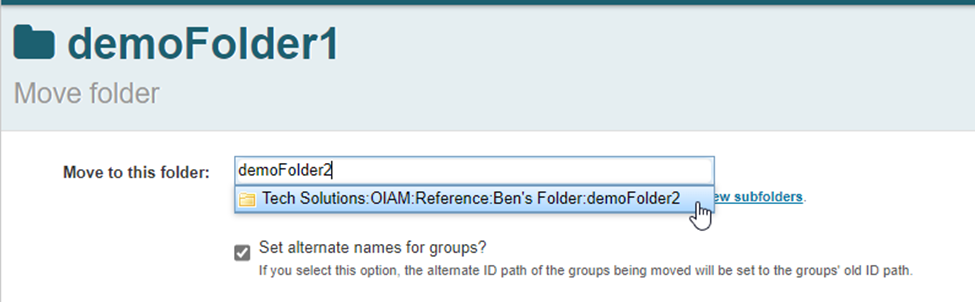
*** Setting alternate names for the groups will ensure that links to groups in the folder will not be broken, it is useful if the groups in the folder are already in useClick the move button

You will receive a notification that the move was successful
